

 By Angel Flores

On this page6 sections
It’s nine o’clock at night. A homeowner is on his couch, scrolling through a roofing company’s website on his phone. His roof is fifteen years old. It isn’t leaking. Yet.
He reads the page about roof replacement. He looks at the photos. He wonders what something like that would cost.
Then he sees the only thing on the site he can fill out. "Contact us."
He isn’t ready to contact anyone. So he closes the tab. And the roofing company never knows he was there.
In the last three episodes, we tested your form, the reply it gets and the record it creates. This time, there’s no test. I want to change how you look at that contact form, because I think most businesses are asking it to do a job it was never built for. I’ll walk you through why, what the alternatives look like, and where I’d start.
"We have a contact form, so leads can reach us"
Here’s what I hear from almost every owner I work with. "We have a contact form. If someone wants us, they’ll reach out."
And it’s a fair thing to believe. The form is there. It works. You tested it in episode two. When someone fills it out, you answer fast, because of episode three. And now, thanks to episode four, you know where they came from.
So what’s the problem?
The problem is who that form is built for.
And before you tell me lead forms are for big companies with marketing departments, they’re not. You don’t need a team or a big budget. If you can answer a customer’s question on the phone, you can turn that answer into something useful on your website.
Who your contact form actually catches
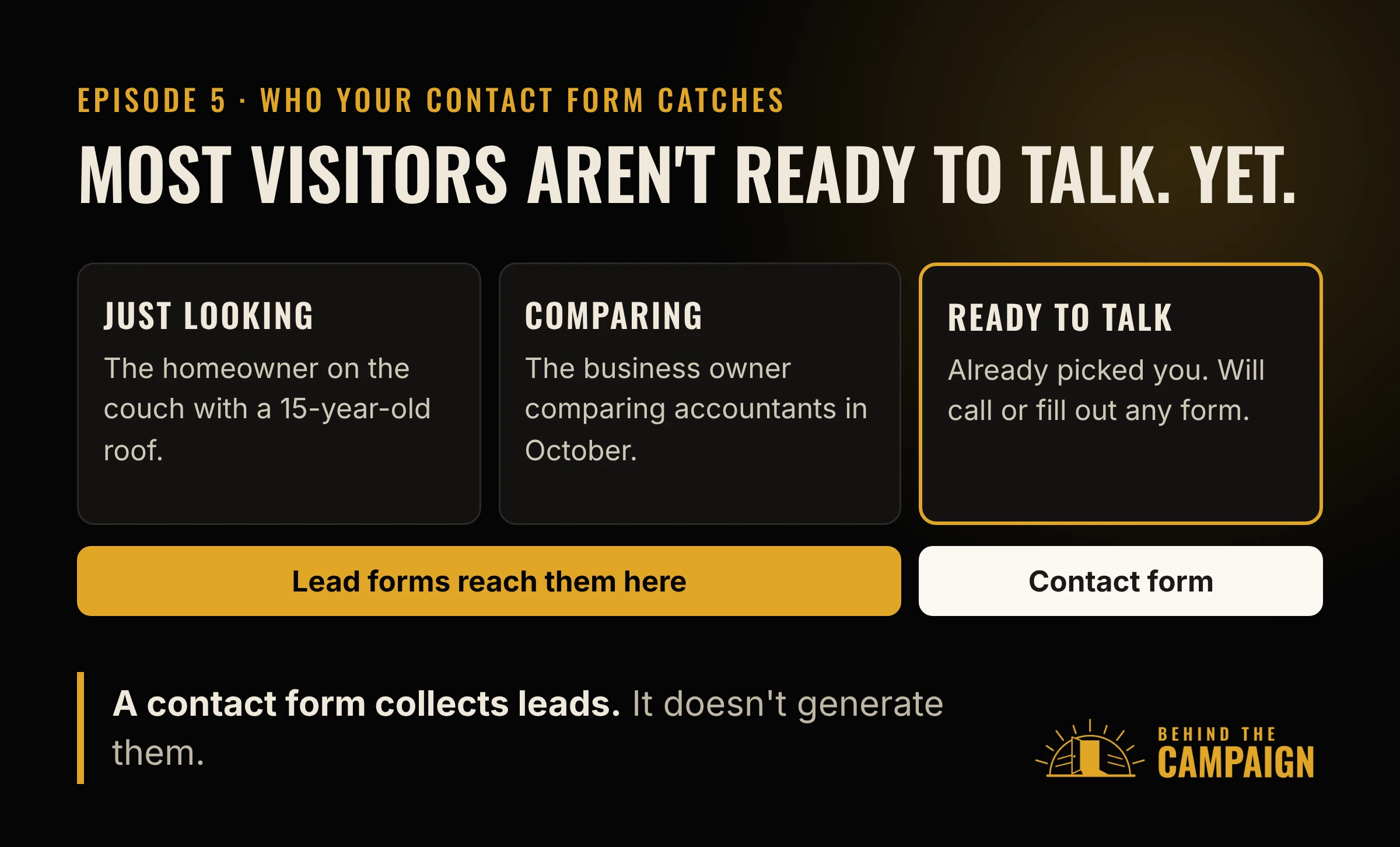
Think about everyone who visits your website in a week. Some of them are ready right now. They know what they need, they’ve picked you, and they want to talk. Those people will find your contact form, or pick up the phone, no matter what.
But most of your visitors aren’t there yet. They’re comparing. They’re researching. They’re like the man on the couch, curious and months away from a decision. Or the couple reading about wills after their first child is born. Or the business owner comparing accountants in October, three months before tax season. And "contact us" asks them for something they’re not ready to give: a conversation.
So a contact form only catches the people who’ve already decided. It collects leads your marketing earned somewhere else, from a referral, a review or a search for your name. It doesn’t generate them.
Here’s how I’d put it. If your website were a store, the contact form is the checkout counter. Nobody walks into a store and goes straight to the register just to look around. They browse. They pick something up. They take a brochure. A good store gives them a reason to stay, and a way to come back.
A contact form has three other problems, too.
First, it gives the visitor nothing in return. It asks for their name, their email and their time, and offers a promise that someone will be in touch. For someone who’s just looking, that isn’t a trade worth making.
Second, it waits. It usually lives on one page, called Contact, at the end of your menu. Most visitors only go there once they’ve already decided. It never invites anyone in.
And third, it tells you the least about the person. "I’d like more information" is the most common message a contact form ever gets. Remember the four quarters from episode four? A contact form fills in the first one and stops.
What lead generation actually looks like
So if the contact form isn’t lead generation, what is?
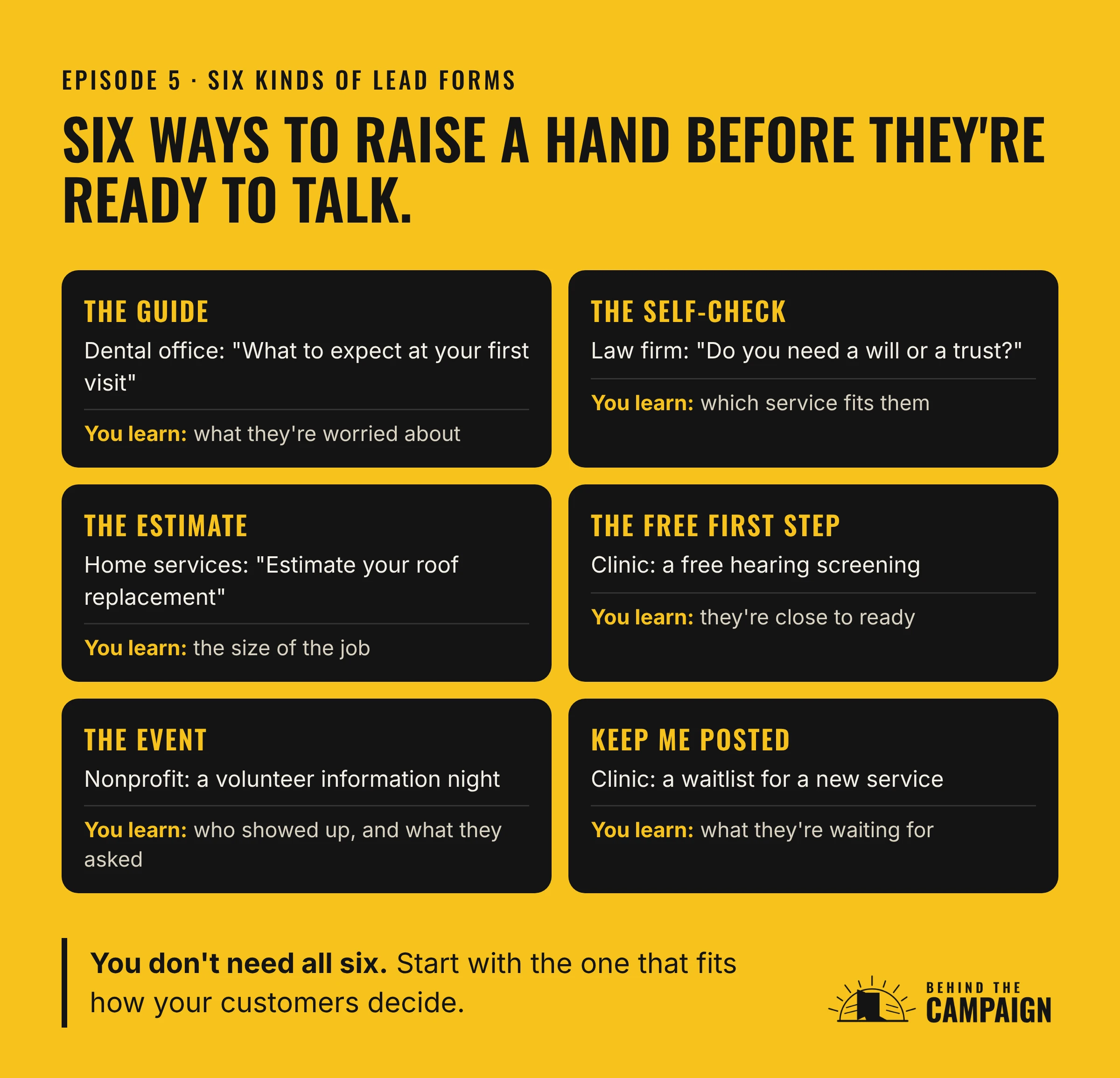
Lead generation is giving people who aren’t ready yet a reason to raise their hand anyway. You offer something useful, at the stage they’re in, in exchange for a way to stay in touch. I’m going to walk you through six kinds of lead forms. You don’t need all six. You need the one or two that fit how your customers decide.
The guide or checklist
The first is the guide or the checklist. It’s something useful they can read on their own time. A dental office offers "What to expect at your first visit," for nervous new patients. An accounting firm offers a tax deadline checklist for small business owners. The visitor gets an answer. You learn what they’re worried about.
The self-check
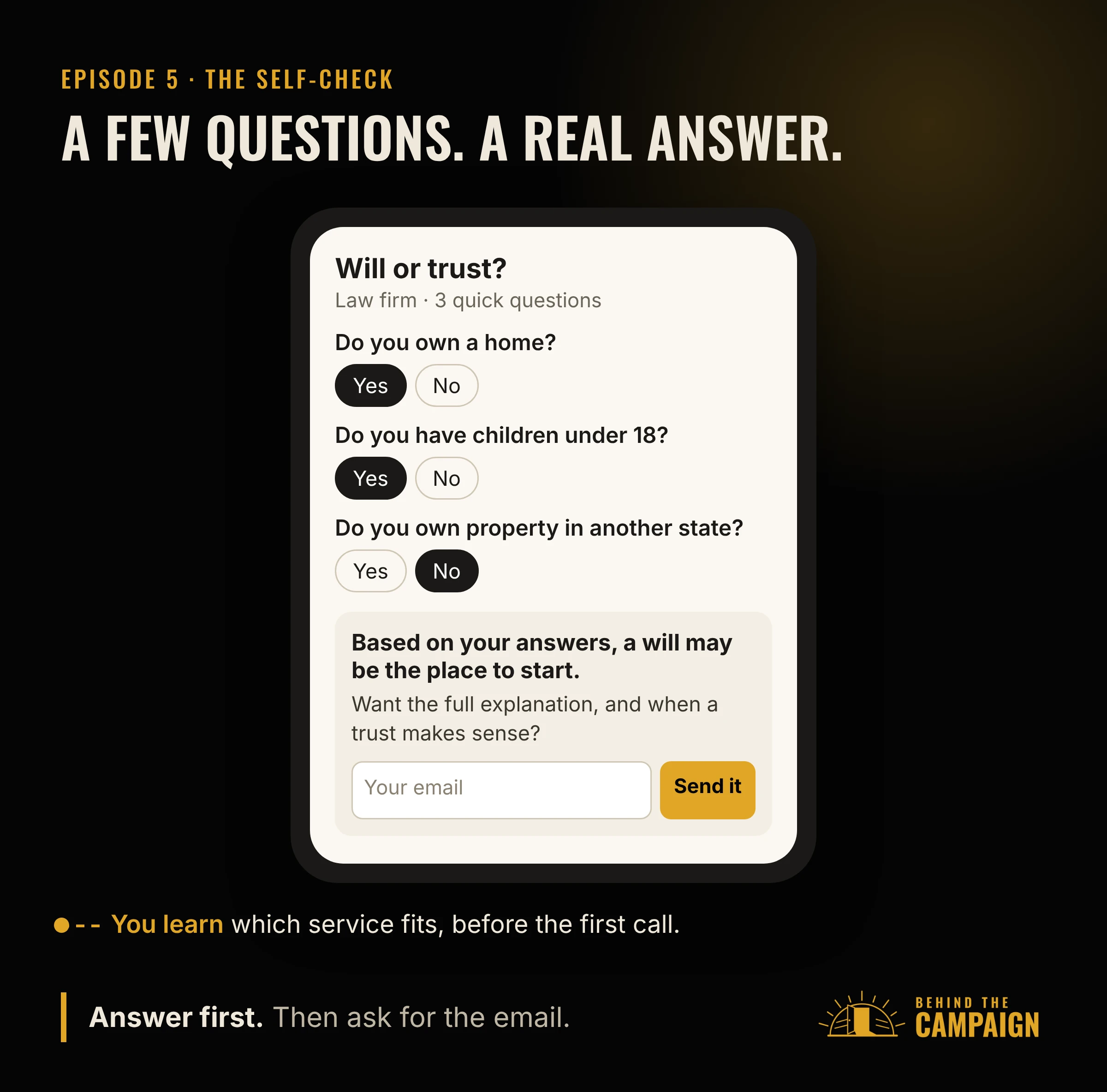
The second is the self-check. It’s a few questions with a helpful answer at the end. A law firm asks, "Do you need a will or a trust?" Three or four questions, and the visitor gets a short answer on the screen, with the full explanation sent by email. You learn which service fits them before you ever talk.
The estimate
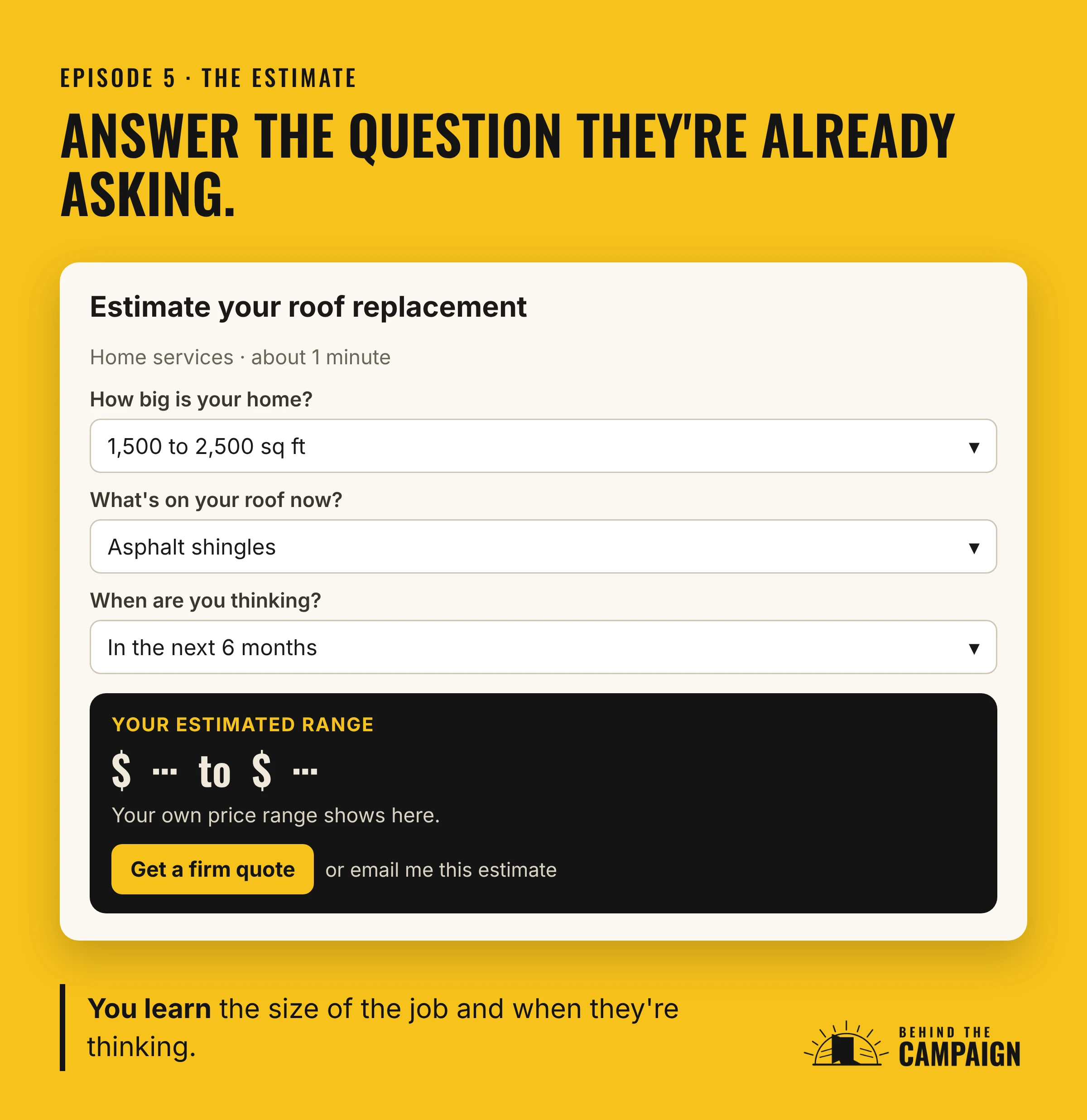
The third is the estimate. For a lot of businesses, the first question every visitor has is "What’s this going to cost?" A home services company can offer a project cost estimator, a few questions about the size of the job, and a price range. The visitor gets the number they were looking for. You get a lead who already knows your range, and you know the size of the job.
The free first step
The fourth is the free first step. It’s smaller than "contact us" and easier to say yes to. A fifteen-minute call. A free hearing screening at a clinic. A second-opinion review of a tax return. It feels like help, not a sales pitch, because it is. The visitor gets real advice from a real person. You learn they’re close to ready, because they asked for time with you.
The event
The fifth is the event. A nonprofit’s volunteer information night. An accounting firm’s year-end tax session. People sign up for a date on the calendar much more easily than they sign up for a conversation. The visitor gets to listen and ask questions in a room full of people like them. You learn who showed up, and what they asked.
The keep-me-posted list
And the sixth is the keep-me-posted list. A clinic’s waitlist for a new service that isn’t open yet. A home services company’s seasonal reminder, like "We’ll let you know when it’s time to service your furnace." It’s for the person who’s interested, but not now. The visitor gets a reminder at the right time. You get permission to reach out when they’re ready, and you know exactly what they’re waiting for.
What the form tells you
Notice what all six have in common. Each one gives the visitor something they actually want, at the stage they’re in. And each one tells you something a contact form never would.
In fact, the form someone chooses tells you how ready they are. Someone who downloads your first-visit guide is early. They’re still getting comfortable. Someone who uses your estimate is closer. They’re checking whether you fit their budget. And someone who asks for the free first step is nearly ready. They want to talk, just not to a salesperson.
That’s a gift for your follow-up. You wouldn’t call all three of them the same way, and you don’t have to. Tag each lead by the form they used, and your CRM, your customer database, can sort them for you, the same way we sorted the four quarters in episode four.
And you don’t throw your contact form away. It’s still the right form for people who are ready. It just shouldn’t be the only door into your business.
Where to start
So where do you start? I’d do three things, in this order.
First, pick one page and one question. Look at the page on your site that gets the most visits, and think about the question most people have when they’re reading it. Offer one useful thing that answers it. For the roofing company, that’s the estimate on the roof replacement page. For a dental office, it might be the first-visit guide on the new patients page. For a law firm, it’s the will-or-trust self-check on the estate planning page. You don’t need six lead forms. You need one good one.
Second, ask only what you need, and keep your promise. A name, an email and one question that tells you what they care about. Then do what episode three taught you. Tell them what happens next, confirm their email so the guide actually reaches them, and send what you promised right away.
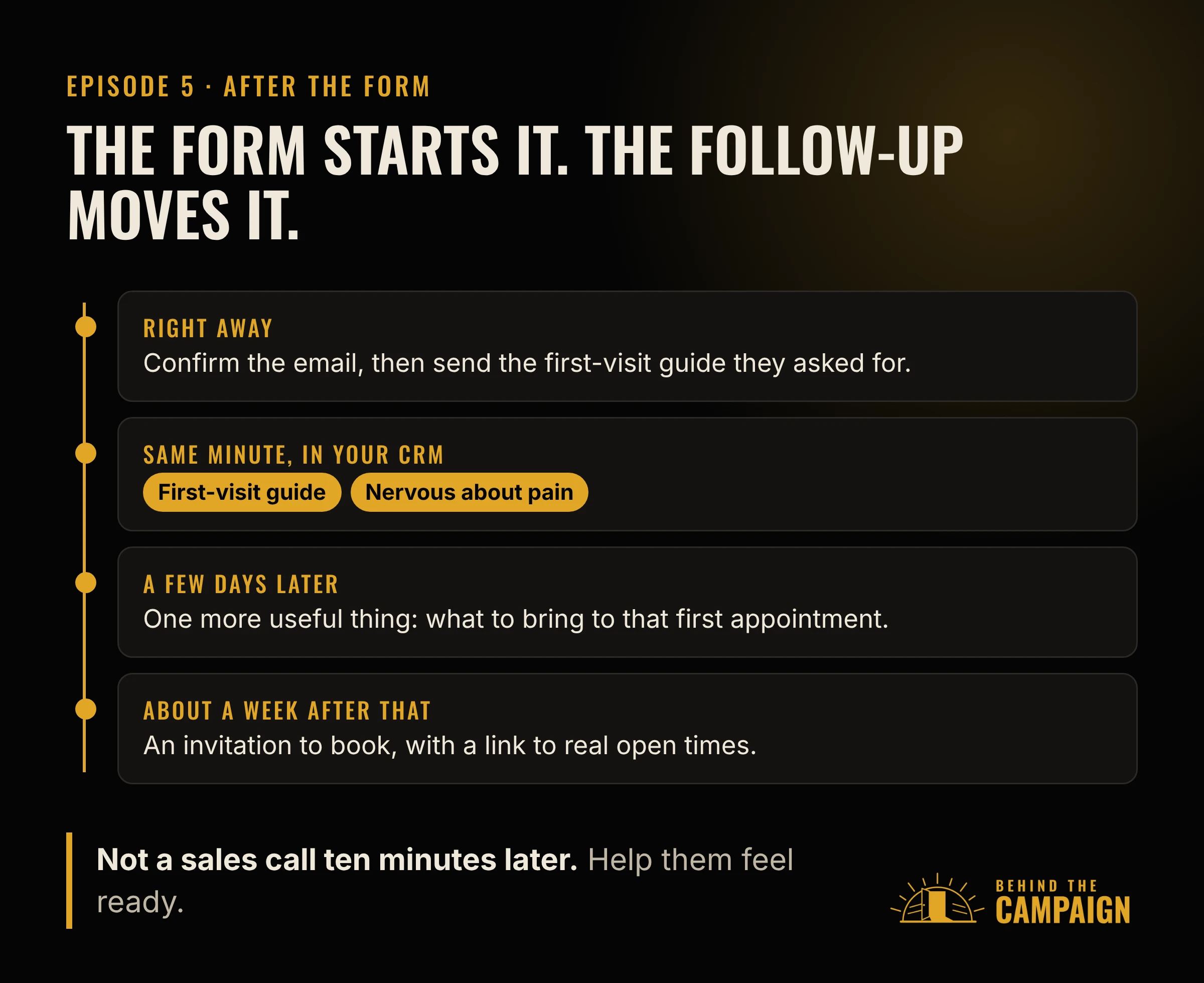
And third, make it count in your CRM. Tag every lead by the form they used and the answer they gave, so your records carry the story we talked about in episode four. Then follow up with something helpful, not a sales call ten minutes later. Someone who downloaded your first-visit guide doesn’t want a hard sell. They want to feel ready. So a few days later, send them one more useful thing, like what to bring to that first appointment. A week or so after that, invite them to book. By then, you’re not a stranger anymore.
One more thing. Don’t lock everything behind a form. Your prices, your hours and the basic answers people need should be right there on the page. Save the form for the things that are worth trading an email address for.
Then give it a month. Count how many people raised their hand who never would have filled out your contact form. That number is the lead generation your contact form was never going to do.
Three things to remember
If you only remember three things from this episode, make it these.
Your contact form only catches people who’ve already decided. It collects leads. It doesn’t generate them.
Lead forms reach everyone else, by giving them something useful at the stage they’re in.
And start with one. One page, one useful offer, a promise you keep and a lead you can follow up on.
So this week, look at your website the way the man on the couch did. Is there anything there for someone who’s just looking? If you’d like a second set of eyes, book a free call, and we’ll look at your site together and find the one lead form that fits how your customers decide. My Lead capture and forms page covers how I build them.
And keep reading, or keep listening, for more ways to improve your marketing operations. If you haven’t read it yet, episode two covers the forms your business needs for the people who are ready.
Next time, we’re talking about the people who are ready: online booking forms, and why most of them lose people right at the start.
