
 By Angel Flores

On this page7 sections
Nobody found that by buying a tool. They found it by asking where the work waits, and why. The first automation worth building is usually the one everyone has stopped noticing.
In the last article you saw that every automation is a trigger, a condition and an action. This one is the build. It has six steps and eight examples, so you can go from "we should automate something" to one workflow running, with a person watching it, in a few weeks.
- 1Find where the work waits, and ask the people who do it.
- 2Pick one quick win with a clear start and finish, and a small cost if it is wrong.
- 3Write the rule as one sentence.
- 4Name an owner for when it does not fit, and keep a person on the judgment calls.
- 5Choose the tool last.
- 6Run it beside the old way, measure, then improve.
The eight examples sit between steps 2 and 3, so you can see what a good first automation looks like before you write yours.
Steps 1 and 2: Start where the work waits
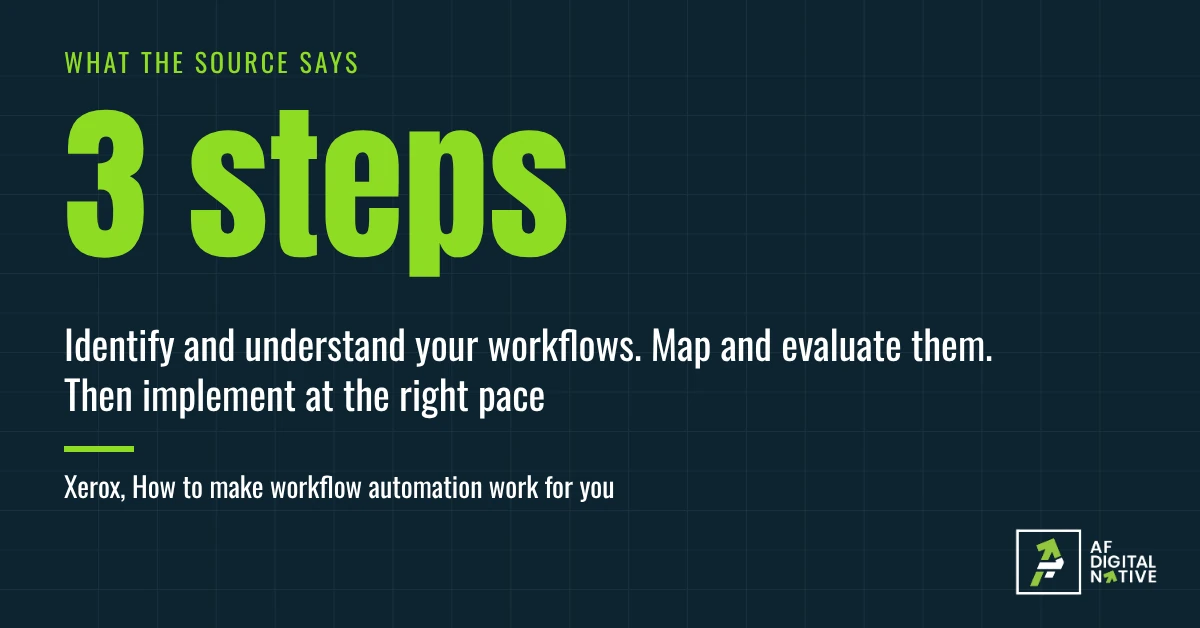
Most leaders do not see the small manual jobs that slow their people down. Xerox’s guide says as much: many owners and leaders have no sight of the day-to-day tasks that eat time. The people doing the work see them every day.
So the first question is not what to automate. It is where the work waits.
Step one is a conversation, not a tool. Sit down with the people who do the job, in finance, sales, support or wherever it lives, and ask where work gets stuck. Look for the friction between teams and the approvals that slow things down. Atlassian, which sells project software, says the same about the people who will use the automation: involve them early.
Three questions get you most of the way:
- What do you retype from one place into another?
- What do you wait for, and who are you waiting on?
- What do you check that almost never turns out to be wrong?
The answers sort into three kinds of finding: bottlenecks, duplicated effort and manual data entry. Xerox’s guide treats those as a shortlist of quick wins. If you built the "Waiting on someone" column from Build your first workflow in 7 moves, you already have a map of the waits. Start there.
One more question from the guide is worth asking early: if you automate this, what happens to the other tasks that person does? Xerox asks how you will make sure they have other valuable work to do. A leader who cannot answer that will meet resistance, and fairly. Have the answer before you start.
Step two is to pick one. Xerox suggests starting with the process everyone dislikes, the no-brainer, and Atlassian says to begin with one simple process and set goals for it, then expand as you learn. My own test for a good first one has five parts:
- It repeats often, so the saving shows up quickly.
- It has a clear start and a clear finish.
- It follows a rule most of the time, with few judgment calls.
- A wrong result costs little and can be undone.
- Someone owns it, and you can measure it.
If you are still deciding between candidates, Find the one job worth turning into a system scores them, and What to automate, and what to keep sorts the steps within one.
Eight first automations, each in one sentence
These are the automations I see most often, written as the sentence from the last article. They are my examples, built on common uses, not documented cases. The numbers and limits in them are placeholders.
- Finance, expense reports. When an expense report is submitted, if it has a receipt and is under the limit, then send it to the approver and schedule the payment. If not, ask the employee for what is missing. Owner: the finance lead. A person decides: anything over the limit.
- Finance, vendor invoices. When a vendor invoice arrives, if it matches a purchase order, then route it for approval. If it does not, flag it to the buyer. Owner: accounts payable. A person decides: every mismatch.
- Sales to customer setup. The setup job from the last article: when a signed order form arrives, if the billing contact is filled in, then create the account and send the welcome message. Otherwise, ask the customer. Owner: customer success. A person decides: accounts with special terms.
- Support escalation. When a ticket has had no reply for 24 hours, if it is urgent or from a key account, then notify the support manager. Owner: the support manager. A person decides: how to respond.
- Engineering, code review. When a pull request opens, if it touches payment code, then assign a reviewer who knows that area, and remind them after a day. Owner: the engineering lead. A person decides: the review itself.
- Product, feedback. When feedback arrives from any channel, if it matches an existing request, then add it there and tell the owner. If it does not, create a new request. Owner: the product manager. A person decides: priority.
- Project management, status reports. When Friday comes, then collect the status from each owner’s board, compile one report and send it to the people who need it. If an owner has not updated, nudge them first. Owner: the project manager. A person decides: what to escalate.
- Marketing, campaign setup. When a campaign task is created, then create linked design and copy tasks with the brief attached. Owner: the marketing lead. A person decides: whether the brief is right.
Two patterns show up. Nearly every example starts with something arriving, and the condition is usually a missing piece, such as a receipt, a match or a reply. The marketing example has no condition at all, and that is fine: a trigger and an action can be enough. And nearly every one leaves a judgment call to a person. That is on purpose. A rule handles the routine and hands the rest over, which is also how an AI step should work, as Human in the loop explains.
Pick the example closest to something you do and keep it in mind for the next two steps. If none fits, your job is probably a different shape, and that is fine.
Steps 3 and 4: Write the rule, and the checkpoints
Before you touch a tool, write down three things. They are what the tool will run, so they come first. If you filled in the one-page template from Build your first workflow in 7 moves, add them to it. If you did not, a blank page works.
- The sentence. When ___ happens, if ___ is true, then ___, as in the last article.
- The owner for failures. Who is told when the rule does not fit, or when the automation breaks. If you used the template, this is its "Owner" line.
- The checkpoint. Where a person looks before the work moves on.
Picture what happens without the second one. A support team sets up a rule: when a ticket from a key account has no reply, tell the manager. It works for a month. Then someone renames a field, and the rule quietly stops matching anything. For three weeks no one is told, because no one was named to be told. The rule was fine. It simply had no owner. That is an invented example, not a client case, but it is how a first automation tends to fail.
The expense example, filled in:
- Trigger: an expense report is submitted.
- Condition: it has a receipt and is under the limit.
- Action: send it to the approver and schedule the payment.
- If the condition is false: ask the employee for what is missing, and tell finance if there is no reply in 2 days (example number).
- Owner when it fails: the finance lead.
- Checkpoint: a person approves anything over the limit.
- Done when: the payment is scheduled and the employee is told.
The checkpoint is the part people leave out, and Atlassian is firm about it: build in points for human review, especially for critical decisions, so that the automation supports human judgment and does not replace it. Xerox, by contrast, suggests picking workflows that need little human intervention for the plan. The two fit together. Choose a job with few judgment calls, then put a person on each one it does have.
Xerox’s guide also asks a useful question about size: does this job need a large system, or would a small build be enough? I would ask it of every first automation. If the rule fits in one sentence, a small build is probably enough. If you need three paragraphs to say it, you may have picked a job that is too big, or two jobs that should be split.
Step 5: Choose the tool last
Only now do you pick the tool. You know the rule, the owner and the checkpoints, so you can ask whether a tool can run them.
Atlassian lists seven features to look for: ease of use, integration, customization, scalability, reporting, security and mobile access. Xerox stresses fitting the tool to your existing software, plus security and compliance at each stage. Both sell software or services, so I trimmed their lists to the five questions that decide whether an automation will survive:
- Does it connect to the tools we already use? If data has to be retyped between them, you have moved the manual work, not removed it.
- Can the people who do the work read the rule and change it? A rule only an outside specialist can edit becomes a dependency.
- Does it keep a record of every run, and report what ran, how long it took and what went wrong? You will need that in the last step.
- Can you control who changes the rule, and see who did? You want to know who changed it, and when.
- Does it handle our data the way our rules require? Security and compliance questions are easier to ask before the build than after.
I left scalability for later, once the first one works. And if you already own a tool that can run the rule, I would try it first before buying another. That is my preference, not a standard.
I name no products here on purpose. The right one depends on what you already run, and A tool is not a system explains why the order matters.
Step 6: Run it beside the old way, then improve
Do not switch off the manual version on day one. Xerox is plain about pace: the speed of a project should not disrupt employees or stop critical processes, and rushing security and compliance causes headaches later.
Run the automation next to the old way on a few real cases. Three to five is a fair start, the same range as the pilot in Build your first workflow in 7 moves. For each case, compare the two: did they reach the same result, how long did each take, and did the automation hand anything to a person that it should not have, or miss something it should have caught?
Measure before you start, or you will have nothing to compare with. Four numbers are enough for a first automation:
- Time per case, from trigger to done.
- Mistakes caught, or reworked, after the fact.
- How long work waits, especially between steps.
- How often it hands off to a person, and whether those handoffs were right.
For the expense example, that looks like this. Take five submitted reports. Run each one through the automation and through the old way. Compare them: did both reach the same approver, how long did each take from submission to scheduled payment, and did the automation send anything to a person that it should have handled, or handle something that needed a person? If the answer to the last question is yes even once, you have found a rule to fix before you expand.
Track the four numbers from the first day, because no automation is finished when you switch it on. Xerox’s guide says the same about analytics. Ask the people who use it, too. Their answer to "does this make your week easier?" tells you things the numbers do not.
Then put a review date on the page, with a name next to it. Rules drift. A tool changes, a policy changes, a field gets renamed. I would wait for the second month before adding another one. Who keeps an automation honest after launch is the subject of the later articles in this series.
Go back to the reimbursement example. The delay was real and nobody was lazy. It was found because someone asked where the work waited. Your first automation does the same thing in a more permanent way: it shows you every day where the work waits, without asking anyone.
Where this advice can mislead
- Both main sources have something to sell. Xerox sells workplace technology and services, and its guide ends with an offer to help. Atlassian sells project software, and its feature list describes its own product. I use them for sequence and ideas, not as proof that automation pays.
- The Xerox guide recommends bringing in outside technology experts. I am one, so weigh that advice with that in mind. You can run most of these six steps yourself. An outside view helps most with the mapping and the tool choice.
- The six steps and eight examples are my own. They come from the two guides, my template and my client work. They are not a published standard.
- A first automation can be wrong. That is why it runs beside the old way.
Your five questions
If you cannot answer the first one, start there. It costs nothing, and it is where the reimbursement story was found.