 By Angel Flores
On this page8 sections
Look at what that list is. It is not a few tools passing data to each other. It is a network of functions, departments, roles, approvals and access rights, with tools somewhere inside it. That is the picture to hold as you read.
Every step in that chain has a name in the business technology vocabulary, and the names get used loosely. I hear the same word used three different ways in one meeting. A vendor says "integration" and means one thing, a CIO hears another, and a developer means a third.
This guide is the one I point people to, so we start from the same meaning. It covers thirteen terms in three layers. The definitions are the ones I use with clients. Where an outside source sharpens a definition, I cite it. Everything else is how I see it from the work.
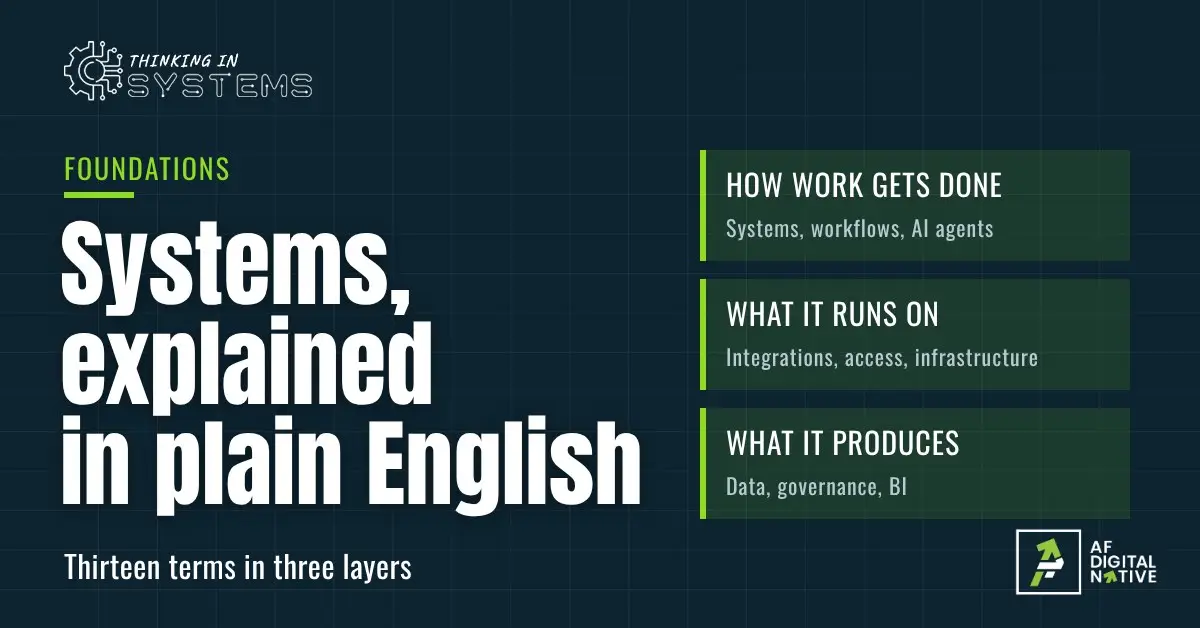
- How work gets done: a system is the whole path, a workflow is the order of steps inside it, automation is when a step runs without a person, and an AI agent is software that chooses its own steps.
- What it runs on: an integration connects your tools and an API is the doorway that makes it possible. Access and permissions decide who or what may use them, legacy systems are the older tools you still depend on, and infrastructure is the ground everything stands on.
- What it produces, and who owns it: data in one trusted place, with a named owner and a written definition, feeds the business intelligence leaders use to decide.
- Most of these terms have no single official definition. Where sources disagree, I say so.
Prefer to click through? Open these 13 terms as cards
An interactive map of how the terms connect, shuffled flash cards, and a five-question check.
How this guide is organized
Each term follows the same pattern, so you can read one or all of them:
- In one sentence: the plain definition.
- What it is not: the usual mix-up.
- Examples: from software companies and from established organizations, with and without AI.
- Watch for: what to be careful about.
- How it connects: where it sits next to the other terms.
- My takeaway: the line to remember.
Every term has its own heading, so you can link straight to it. The same definitions also exist as a set of printable flash cards.
01How work gets done
System
In one sentence: A system is how a piece of work gets done the same way every time, with or without any one person.
Donella Meadows, the systems scientist whose book gave this series its name, gave the classic definition. A system has three kinds of things: elements, the connections between them, and a purpose.
Notice that none of her three things is software. In an organization, the elements are people, functions, roles, rules and tools. The connections are handoffs, approvals and access rights as much as data moving between applications. A five-person team has the same thing in miniature: a few people, a few tools, and habits about who does what. What makes it a system is the connections and the purpose, not the technology.
What it is not: a pile of tools, or an org chart. A CRM, a billing platform and a support desk that never exchange information are a stack. An org chart shows who reports to whom, not how work crosses departments to get done. I wrote about this difference in A tool is not a system.
Examples:
- Order to cash: a signed contract through to cash in the bank.
- Hire to retire: an approved role through payroll, access, equipment and exit.
- Lead to customer: an inquiry, a follow-up, a proposal, a signature, a kickoff.
- Support request to resolution, including who can escalate and who can see the customer’s account.
- Month-end close in a finance team.
Watch for: ownership. Every tool usually has an owner, but the chain across tools often does not. A path nobody owns end to end slowly stops working, and the first person to notice is usually a customer. Access matters too: someone has to decide who can see, approve and change what. A RACI chart, which maps each task to who is responsible, accountable, consulted and informed, helps when ownership is unclear.
How it connects: workflows are the paths inside a system. Automation runs its steps. Integrations join its parts. Access and permissions decide who can see and change what along the way.
Workflow
In one sentence: A workflow is the order of steps a piece of work follows, and who or what does each one.
The Workflow Management Coalition, a standards group formed to build common terminology, defined workflow as the automation of a business process, in whole or in part, where documents, information or tasks pass from one participant to another according to rules. Its reference model adds that a workflow can be organized by hand, though in practice it usually runs inside an IT system.
A business process and a workflow are related but not the same. The process is what you are trying to get done, such as getting a new customer live and billed. The workflow is the detail underneath: who does what, in what order, with what tools. Most of it is handoffs. Work leaves one person or function, waits for an approval, and comes back with a decision or an exception. Delays and errors live in the handoffs, not in the steps.
What it is not: a flowchart on a wall. The drawing is a map. The workflow is the steps actually running.
Examples:
- A contract over a set value goes to legal, then finance, then an executive for approval.
- A purchase request goes to a budget owner, then procurement, then accounts payable.
- A support ticket escalates to engineering after a set time with no resolution.
- New-hire onboarding: HR sends the offer, IT sets up accounts, the manager plans the first week.
- A discount outside policy needs approval, and the approver is out.
Watch for: the paper version and the real version rarely match. People add side steps nobody wrote down, especially in older organizations. To improve a workflow, start by writing down what actually happens, including the workarounds. Map one process before you buy anything shows how.
How it connects: a workflow lives inside a system. Automation takes over the steps that do not need a person.
Automation
In one sentence: Automation is using technology to get a result with little or no human effort.
IBM describes it as applying technology, programs, robotics or processes to "achieve outcomes with minimal human input." It also separates sizes. Task automation takes one simple, routine step, such as sending an invoice. Process automation handles a repeatable job with several steps, which can touch several systems. IBM lists robotic process automation, or RPA, as one kind of process automation: software bots doing repetitive office work, like moving information between applications that were never built to talk to each other. A further level, intelligent automation, adds AI so the flow can make a decision.
That last point matters for older organizations. A bot can work across systems that were never designed to connect, which makes automation a practical first move before any large rebuild.
What it is not: AI. Many automations use none. It is also not the same as a workflow. The workflow is the path, and automation is when the path runs itself.
Examples:
- An invoice generates on the first of the month, no AI involved.
- AI reads an incoming support ticket, labels it billing, bug or sales lead, and routes it.
- A new hire’s accounts and permissions are created from the HR record on day one.
- A bot copies invoice details from emailed PDFs into the accounting system.
- A new lead is assigned to the right rep by region the moment a form is submitted.
Watch for: not every task suits automation, and IBM’s own guidance says some still need a person. Start with steps where a wrong result is cheap and easy to catch. Automating a broken workflow just makes it break faster, so fix the path first. What to automate in your business, and what to keep human goes through how to sort the steps, and AI agents in plain English covers the version where the system chooses its own steps.
How it connects: automation lives inside workflows, and it needs integrations to pass information between tools. An AI agent is the version where the system chooses its own steps.
AI agent
In one sentence: An AI agent is software that uses AI to decide its own next steps toward a goal, instead of following a fixed script.
Anthropic, in its guide to building agents, draws the line clearly. A workflow, in its words, runs through paths set in advance in code. An agent, it says, is a system where models "dynamically direct their own processes and tool usage," deciding the order as they go. In practice, that means an agent can read a request, look up a record, draft a reply, update a ticket and check its own result, without anyone scripting each move.
A note on words. Anthropic uses "workflow" to mean steps fixed in code. In this guide a workflow is any order of steps, whether people, software or both carry them out. Same word, wider meaning, which is one more reason to ask what someone means.
Here is my own view. Most useful "AI" in a business today is an automation with one AI step in it, such as reading a ticket and labeling it. A true agent is the exception, and it needs more guardrails, because it makes choices nobody wrote down in advance.
What it is not: a chatbot, or any automation with AI inside. A chatbot answers. An automation that uses AI to label a ticket still follows a fixed path. An agent chooses the path.
Examples:
- A support agent reads a ticket, pulls up the account, drafts a reply and asks a person to approve any refund.
- A sales assistant researches a new lead, fills in the CRM record and suggests the next step.
- An agent that matches invoices against purchase orders and flags the ones that do not agree.
- An IT agent that handles a password reset request from start to finish, within set limits.
- Not an agent: a rule that emails the rep when a form arrives, with an AI-written subject line.
Watch for: an agent inherits every gap beneath it. It can only do what its access allows, and it is only as good as the data it can see. Start with a narrow job, limited access and a person who approves anything that cannot be undone. Give it the access you would give a new hire, not an administrator, and keep a log of what it did. A confident wrong step early in a chain gets carried through every step after it. AI agents in plain English goes deeper, and Everyone has tried AI. Few businesses run on it explains why the foundations matter first.
How it connects: an agent runs inside a workflow and acts through automation and integrations. It reads your data, and access and permissions limit what it may touch.
02What it runs on
Integration
In one sentence: An integration is a connection that lets two systems share information on their own, and keeps running.
IBM describes application integration as the process of "connecting different applications, systems and subsystems" so they work as one whole. It draws a line between this and data integration. Data integration takes data from a source, reshapes it and loads it somewhere else. Application integration links the applications themselves at a functional level, often in near real time.
Integrations come in a few shapes. A point-to-point link connects two systems directly. A hub sits in the middle and connects many. An integration platform, sometimes called iPaaS, is a cloud service for building and running them. Integration is also how a newer tool can connect to an older one, so existing systems and their history stay in use.
What it is not: copy and paste, a one-time import, or a shared login. Two apps behind the same sign-in are not connected. It is also not two teams talking: two systems can be connected while the people who use them are not.
Examples:
- The CRM tells billing a deal closed, and billing creates the invoice.
- The accounting system and the CRM exchange customer data on a schedule.
- A website form drops a new lead straight into the CRM.
- A payment platform posts each payment to the accounting system.
- A weekly spreadsheet export that someone emails around is a manual integration. It works until that person is out.
Watch for: both sides must stay the same. When a vendor changes something, a connection can quietly stop and nobody notices. That is how most dropped handoffs start. At scale, the risk is sprawl: dozens of undocumented links, all fragile.
How it connects: integrations carry information between the steps of a workflow. They are also what makes a single source of truth possible, and how new tools reach a legacy system.
API
In one sentence: An API, short for application programming interface, is the doorway one program offers so another can ask it for something or send it something.
Amazon’s documentation describes it as a contract of service between two applications.
The easiest picture is an ATM. You ask the bank for cash without ever touching the bank’s database. The ATM is the doorway, and the bank decides what it will and will not do through it. A webhook is the same idea in reverse. Instead of one program asking another for information, the first program sends an alert the moment something happens, such as a payment going through.
What it is not: the integration itself. The integration is the working connection. The API is what makes it possible.
Examples:
- A software product’s API lets customers connect it to their own systems.
- A payment processor sends a webhook when a payment succeeds.
- A CRM lets the billing tool look up a customer record.
- A scheduling tool checks your calendar’s availability before it offers a time.
- A map or address lookup built into a form.
Watch for: API keys. AWS notes that a key identifies the program making a call and checks its access rights, so treat keys like passwords. Store them safely, limit what each one can do, and replace them if they leak. Many integrations use APIs without you ever seeing one, because the tools build them in.
How it connects: integrations are built on APIs. Access and permissions decide who or what may use them.
Access and permissions
In one sentence: Access and permissions decide who, or what, can see, approve and change each thing in your systems.
Access is the door. Permission is what you may do once you are through it. The usual way to manage it is by role. NIST’s explainer says "a role is essentially a collection of permissions," and people receive permissions through the roles they hold. It adds that roles within an organization are relatively stable, while users and permissions are numerous and change quickly. That is why attaching access to roles is easier to manage and review than attaching it to individual people.
The companion rule is least privilege, which NIST’s glossary describes as giving each person or program the minimum it needs to do its job. It applies to more than people. Integrations, API keys, bots and AI agents all need their own limited access too. Single sign-on, one login that works across many tools, is a convenience layered on top. It is not a substitute for deciding who may do what.
What it is not: a login screen or an IT setting. Logging in proves who you are. Permissions decide what you can do. And deciding what each role may do is a business decision that crosses every department. Someone in finance, legal and operations each has a view, and the answer has to be agreed.
Examples:
- A new hire gets the right access on day one through their role, instead of a string of tickets.
- A finance approver can approve invoices but cannot add vendors, so no one person can do both.
- An employee who moved from sales to support still holds sales discount approval.
- A contractor’s login still works months after the project ended.
- An integration runs on one person’s login and stops the day they leave.
Watch for: the move and leave moments. Access piles up when people change roles and nobody removes the old access. Name an owner for each role, review roles on a schedule, and give every integration and bot its own limited account instead of a person’s. This is where handoffs, approvals and security meet, and in my experience it is where many stalled integration and AI projects stall.
How it connects: logins and API keys decide who can use a doorway. Sign-in itself sits in infrastructure. Governance sets the rules, and data and reports inherit them.
Legacy system
In one sentence: A legacy system is an older system that is outdated by today’s standards but still does work the organization depends on.
Gartner’s definition, as it is widely repeated, is an information system that may rest on outdated technology but is critical to day-to-day operations. Age alone does not make a system legacy. Dependence does. It might be a mainframe, an on-premises accounting system, a custom database from 2009 or a spreadsheet with macros that runs payroll. These systems often hold years of valuable history and business rules, and few people understand how they work. IBM notes that older on-premises systems often hold valuable data and are not easily replaced.
For established organizations, this is the term that matters most. Every digital step eventually meets one. For software companies it shows up too: an early billing system, a first customer database, a tool built by a founder that everything still depends on.
What it is not: a failure, or something to replace on principle. Many legacy systems work well. The trouble is that they are hard to connect, hard to change and hard to staff, not that they are old.
Examples:
- An on-premises ERP that finance trusts and nobody wants to touch.
- A mainframe that still processes orders overnight in a batch file.
- A custom database built years ago by someone who has since left.
- A spreadsheet with macros that calculates commissions.
- A software company’s first billing system, still serving customers on older plans.
Watch for: replace-everything projects that stall. There are four common paths: connect it, move it as it is to cloud hosting, replace it one piece at a time, or retire it. Before choosing, write down what it does, including the unwritten rules. If one person is the only expert, treat that as a risk to plan for, the same way you would a single admin login.
How it connects: integrations and APIs are how new tools reach it. It often holds the data a source of truth depends on, and it often runs on older on-premises infrastructure.
Infrastructure
In one sentence: Infrastructure is the technology everything else stands on.
IBM describes IT infrastructure as the hardware, software and networking an organization relies on to run its technology, and ServiceNow adds the facilities that house them. That includes servers, which are the computers that run applications and store data, hosting, which is where those servers live, plus databases, storage, backups and the identity systems behind sign-in.
There are three ways to run it. On-premises means you own and operate the servers yourself. Cloud means you rent computing from a provider such as Amazon, Microsoft or Google. NIST describes cloud computing as "on-demand network access to a shared pool" of computing resources, and its model includes software, platform and infrastructure as services. Many organizations run a mix of the two, often called hybrid. And SaaS, software as a service, is software you subscribe to, where the vendor runs the infrastructure for you.
Where something runs matters more than it seems. It decides who can fix it, who pays for it, how it connects to other tools and what happens when it fails.
What it is not: your applications. The CRM is an application. The servers, network and identity systems under it are infrastructure. And "the cloud" is not a place. It is someone else’s servers, run under their rules. Nobody notices good infrastructure. People notice when it fails.
Examples:
- A hosting outage takes your product or website down for every customer at once.
- Single sign-on fails and nobody can reach any tool.
- A backup nobody has ever tested by restoring from it.
- A server under a desk holds the only copy of important files.
- One person holds the only admin login to the website, the domain or the cloud account.
Watch for: single points of failure: one person, one vendor, one server. Ask what happens if each one fails, how quickly you recover, when a backup was last restored, and who is watching. With a mix of on-premises, cloud and SaaS, be clear on who is responsible for each part. With SaaS, you cannot fix an outage. You can only wait and tell your customers.
How it connects: everything in the other layers runs on it. A beautiful automation on shaky infrastructure is still shaky. Sign-in and identity live here, and the rules for who may do what live in access and permissions. Legacy systems often sit on older, on-premises infrastructure.
03What it produces, and who owns it
Data
In one sentence: Data is the record of what happens in your organization: customers, orders, payments, tickets, hours, usage.
Big data has a specific meaning. Gartner defines it as information assets with high volume, high velocity or high variety that need new forms of processing to improve insight and decisions. Doug Laney, then at the firm called Meta Group, first described those three dimensions in a research note in February 2001.
Here is the honest part. A software company logging millions of events a day may well have big data. Most organizations do not have a big data problem. They have a consistency problem. The question that matters first is whether the data you already have is accurate, complete and in a place you can trust.
What it is not: more is better. More data from inconsistent sources is just more inconsistency.
Examples:
- Product usage and billing disagree on how many seats a customer has.
- One customer appears under three spellings across the CRM, billing and support.
- Two reports show different revenue for the same month.
- Customer lists live in spreadsheets that get emailed around and edited in parallel.
- Support has a customer’s history. Sales cannot see it.
Watch for: a report built from inconsistent sources is confidently wrong. AI built on the same sources is wrong faster, and just as confident. Every report, dashboard and AI tool reads from your data, so its quality sets the ceiling on all of them.
How it connects: integrations move data between tools, and legacy systems often hold it. Governance names who owns its quality. Business intelligence reads it. AI is only as good as the data it can see.
Source of truth
In one sentence: A source of truth is the one place you trust for each piece of data. Where does a customer record live, and which copy wins if two disagree?
This is my working definition, and two close terms help sharpen it. A system of record holds the official data for one area, such as billing. A source of truth can pull from several of them. And a single source of truth is about where the data lives, while a single version of truth is about everyone agreeing on what the numbers mean. A company can have a clean central store and still have three teams reporting "active customers" three different ways, because each team defines the term differently.
What it is not: a giant database, or a one-time cleanup. It is a decision, kept up over time. It is a goal you reach through practice, not a tool you install.
Examples:
- Customer contact details are edited in the CRM only, and every other tool reads them from there.
- Revenue comes from the accounting system, not from a sales spreadsheet.
- A data warehouse is the single source for reporting while the operational systems keep their own records.
- Two teams report "active customers" using different definitions, and leadership sees both numbers.
- Headcount lives in the HR system. Everything else copies it.
Watch for: one clean central store with three definitions of "active customer" is still three versions of the truth. Decide what the words mean, not just where the data sits.
How it connects: integrations make it possible, governance keeps it honest, and business intelligence depends on it.
Governance
In one sentence: Governance is who owns each piece of data, process and definition, and who decides when it changes.
IBM describes data governance as the discipline concerned with the "quality, security and availability" of an organization’s data. It lays out the roles that make it work. A steering group sets direction, usually with senior leaders. Data owners are accountable for the accuracy and consistency of a specific area of data. Data stewards handle the daily upkeep. A governance team sets the rules, such as who may see sensitive information, and a data management team puts those rules into practice, often through role-based access. IBM also notes that without sponsorship from the top, people tend to ignore the policies.
That is the formal picture. The plain version is that every important fact has an owner and a written definition. It is also how a term like "active customer" gets agreed once and stays agreed.
What it is not: bureaucracy, a standing committee or a policy PDF nobody opens. Governance is working when anyone can answer "who decides?" in a minute.
Examples:
- "Active customer" has a written definition, one owner and a date it was last reviewed.
- Customer data has an owner in sales operations, and changes to its fields go through them.
- Adding a field to the CRM means telling the people whose reports use it.
- A short review each quarter: duplicates, missing fields and who has access.
- A named owner for each integration, so a broken connection has someone to call.
Watch for: too heavy and people route around it, too light and nothing sticks. My suggestion is to start with the three to five facts that matter most, such as customers, revenue and headcount. Name an owner for each, write down the definition, and add more only when you need to. Without an owner, a source of truth drifts back into three versions. I take owners up in the Maintain articles of this series.
How it connects: governance sets the rules for access and permissions. It keeps the source of truth honest and business intelligence definitions consistent.
Business intelligence
In one sentence: Business intelligence, or BI, is turning your data into answers you can act on.
The term is older than most people expect. IBM researcher Hans Peter Luhn used it in a 1958 article. In 1989, Howard Dresner, later an analyst at Gartner, proposed it as an umbrella term for methods that improve business decisions through fact-based support systems. Gartner today describes it as the applications, tools and practices that let people access and analyze information.
BI is the whole chain: trusted data, agreed definitions, and a view someone uses to decide something. I use BI for what happened and where things stand, and analytics for why it happened and what comes next. Sources draw that line in different places, so it is worth asking anyone who uses either word what they mean.
What it is not: a dashboard. A dashboard is one way to show the answer. BI is everything that makes the answer trustworthy.
Examples:
- Revenue by product line, this quarter against last.
- Churn by customer cohort, defined the same way in every report.
- Days from a signed deal to a live account.
- Open invoices past 60 days, each with an owner.
- Hours sold against hours delivered, by client.
Watch for: BI answers the question you asked, using the definitions you gave it. Choose the decision first and settle the definitions before you build the view. Three numbers leadership checks every week beat thirty nobody opens. I take that up in the Maintain articles of this series.
How it connects: BI sits on top of your data, and governance keeps its definitions consistent. If the data underneath is scattered or defined differently by each team, the report is only as good as its worst source.
How the thirteen terms fit together
Back to the customer who said yes. Here is each term in its place:
- System: the whole chain from "the customer signs" to "leadership sees the number," crossing legal, finance, engineering, customer success and support.
- Workflow: the order of the steps and the handoffs between those functions, including each approval.
- Automation: every step that runs without a person, such as the invoice, the account setup and the welcome message.
- AI agent: the assistant that drafts the first reply to the customer’s contacts and asks a person to approve anything it cannot undo.
- Integration: the connections between the CRM, billing, the product and support.
- API: the doorway each of those tools offers so the others can talk to it.
- Access and permissions: who can see the contract, approve the discount and change the account, and what each integration and bot is allowed to do.
- Legacy system: the older billing or customer database that still has to be connected before any of this works.
- Infrastructure: the hosting and sign-in underneath all of it.
- Data: the record of that customer across every tool.
- Source of truth: the one place the customer’s details and contract value are trusted.
- Governance: the named owner of those details and the written definition of terms like "active customer."
- Business intelligence: the view leadership uses to decide what to do next.
Where this vocabulary misleads
Definitions are not neutral. Many of the ones above come from vendor glossaries, written by companies that sell the thing being defined, and each stretches the term to fit its product. IBM, Gartner, AWS and the rest are useful sources, but they are not referees.
Some of these terms are genuinely contested. "AI agent" is used loosely, and vendors apply it to everything from a chatbot to a fully autonomous system. Sources draw the line between business intelligence and analytics in different places, and "legacy" can mean anything from a mainframe to last decade’s software. The three-layer grouping and the way I apply each term to software companies and established organizations are my own framing, not an industry model. If a vendor uses one of these words differently from the way I do, ask what they mean. That is a good question to ask anyway.
Your five questions
If you cannot answer the fourth one, start there.