
 By Angel Flores

On this page7 sections
Toyota’s own company history tells it a little differently. It dates the method to 1954 and credits a report on a Lockheed aircraft plant. Either way, what happened next is the same. One plant began pulling the parts it needed from the plant before it. A card came later, and it took years to reach every Toyota plant.
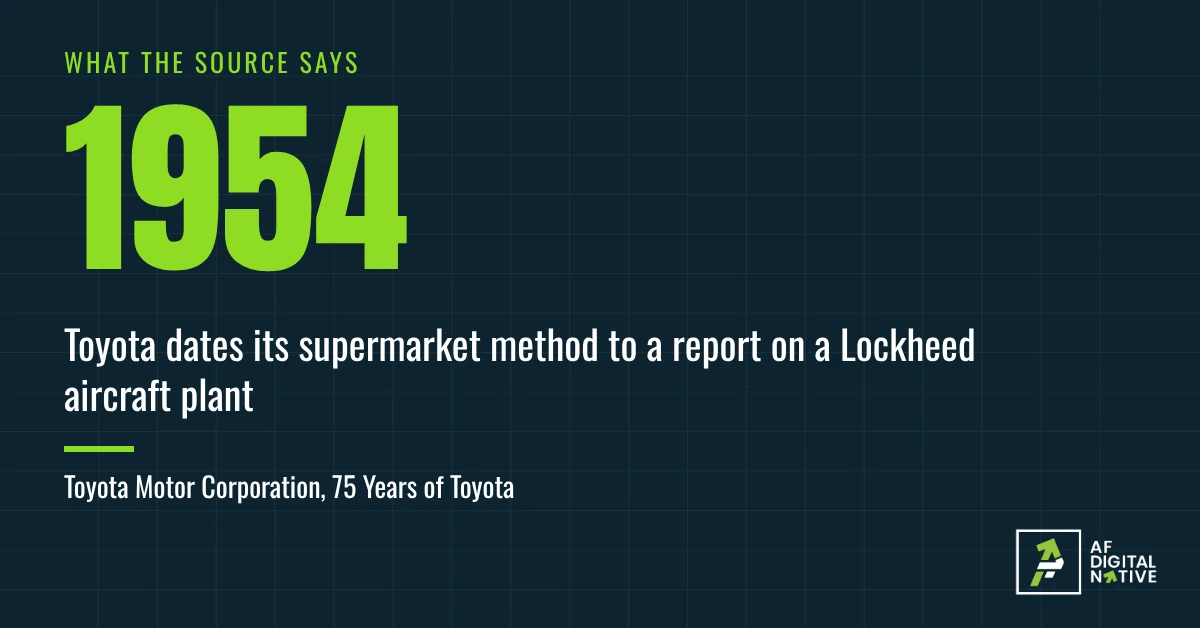
Nobody designed the perfect system on a whiteboard. Someone borrowed a simple shape, fitted it to how the work already moved, and tried it between two plants first. That is the method in this article, too.
You are not building a car company. But you have a job that crosses three desks, and you would like it to stop depending on one person’s memory. This article gives you a method for that first workflow. It has seven moves. By the end you will have a one-page workflow and a plan to test it on real work.
In the last article you scored a job. This one builds the workflow for it. If you are not yet sure the job deserves one, read What a workflow is, and 5 things it is not first.
- Start with what you do now, not with an ideal version of the job.
- Build the first version small: what starts it, the steps, who does each, and what counts as done.
- Plan the exceptions and approvals before launch. That is where first versions break.
- Run it on real work next to the old way, then revise.
01Start with what you do now
Write a workflow from an ideal version of the job, and the people who do the real one will ignore it. Write it from what happens today, and they will recognize it. Someone reads it and says, "That’s it, except we also do this." That "except" is the most useful thing you will hear all week.
The Kanban Method builds its approach to change on the same idea. Its first principle is to start with what you do now. David Anderson, who developed the method, lists two points under it: understand the current process as it is actually practiced, and respect the existing roles, responsibilities and job titles.
So before you build anything, pick one job. Find the one job worth turning into a system helps you choose. Then capture three things about it. Wrike, a company that sells work-management software, calls them the core parts of a workflow: an input that starts it, a transformation where the work happens, and an output that shows the work is done. I use shorter words: what starts it, where the work happens, and what comes out. To those I add the two things from the first article: who does each step, and how you know it is finished.
If you want a one-page way to capture all of that, there is an old tool for it. SIPOC stands for suppliers, inputs, process, outputs and customers. ASQ describes it as a data collection tool that Six Sigma teams use to gather information about those five parts of a process. You can skip the Six Sigma. Five columns on a page are enough, and I like to fill them in from the customer backward, because it forces one question before anyone argues about steps: who is this for, and what do they get?
Take a new customer setup at a software company. The customer is the person who signed. The output is a working account and a first call held. It starts when a signed order form arrives. The inputs are the order form, the plan and the billing contact, supplied by sales and the customer.
Two more, in one line each:
- Purchase request (established organization). The requester gets an approved purchase order. It starts when a request is submitted, with a budget code and a quote.
- Support escalation. The customer gets a fix, or a clear answer on when. It starts when a ticket goes unanswered past a set time, or is flagged as serious.
These are my examples, not documented cases.
Before you write the new version, see how the job really runs today. Map one process before you buy anything covers how to draw it. This article picks up from there.
02Build the small version
You have already done the first three moves. You picked a job, named what starts it and what comes out, and wrote down how it runs today. Moves four to seven are what is left, and they are where a first workflow takes shape.
The full method has seven moves, in order. It is my own sequence, built from the sources in this article and from how I build these for clients. It is not a published standard.
- Pick the job. (Chapter 1)Done
- Name the start, the work and the output. (Chapter 1)Done
- Draw today’s version. (Chapter 1)Done
- Write the normal path in 5 to 9 steps. Each step is a verb and an object, such as "create the account."
- Give every step an owner and a time.
- Plan the exceptions. Chapter 3 covers this one.
- Pilot it, then revise. Chapter 5 covers this one.
Wrike’s guide has nine steps. Mine is shorter because I fold the goal and the start and end into the first moves, and I give exceptions their own move. In my experience, that is where first versions break.
The "5 to 9 steps" is my rule of thumb, not a studied number. It is the range where a workflow is still useful and still fits on one page. If your normal path takes 15 steps, you probably picked a job that is too big. Split it and build the first half.
The template below is the one-page version, filled in for the first example. A blank copy is at the end of this article.
| Field | What to write | Example: new customer setup |
|---|---|---|
| Job | One sentence | Set up a new customer after the order form is signed |
| Starts when | The trigger | A signed order form arrives |
| Done when | The result you can point to | The customer has logged in and the first call is held |
| Steps (5 to 9) | A verb and an object each | Create the account. Set up billing. Send the welcome message. Book the kickoff call. Hold the call. Confirm the first login. |
| Owner of each step | One name or one role | Account: support. Billing: finance. Welcome message, kickoff and call: customer success |
| Time | How long it should take, and how long it can wait | Account created within 1 business day (example number) |
| Exceptions | What does not fit, and who decides | Billing contact missing: customer success asks the customer. No reply in 2 days: the account owner decides. |
One owner per step is the rule I hold hardest. If two people are responsible, nobody is. A role is fine when a name would change too often. For jobs that cross departments, a RACI chart is a common way to settle it. For each step, it marks who does the work, who is answerable for it, who is asked, and who is told.
03Plan the exceptions and approvals
Every job has a normal path and a pile of exceptions. The normal path gets the attention. The exceptions get the delays. In my experience, when a job keeps stalling, the cause is usually an exception that nobody owns.
These are the ones I see most often. They are my examples, not a study.
- The approver is out of the office.
- An invoice does not match the purchase order.
- A customer asks for a discount past policy.
- A required document is missing or wrong.
- Two systems disagree about the same fact.
You do not need to list every exception. List the top three for your job, and for each one decide three things: what happens, who decides, and how long it may wait. Anything you did not list gets the same fallback: it goes to the named owner of the job, who decides.
Approvals need the same care, because an approval is the most common place for work to sit. Give every approval a named approver, a delegate for when that person is away, and a time limit with a stated result. Take a made-up example. A purchase over the limit goes to the budget owner. If there is no answer in 2 business days, it goes to their delegate. After 4, it goes to their manager. The numbers are examples. The shape is the point: someone is always next in line.
If a step in your workflow is done by AI, treat "the AI is unsure" as an exception. The step should send the case to a person, with what the AI found, and not guess. Human in the loop goes through how to set that up, and What to automate, and what to keep helps you decide which steps to hand over in the first place.
04Make it visible, and limit what is in motion
A workflow on a page still hides one thing: where the work is sitting right now. A board fixes that.
Put the statuses in columns. For the setup job, it might read: Requested, In progress, Waiting on someone, Done. The "Waiting on someone" column is the one that pays for the board. When work sits there, you can see it, and you can ask why.
This is the heart of kanban. Kanban University’s guide lists its general practices as visualize the work, limit work in progress, and manage flow. Atlassian, which sells software built on the method, says it has spread from manufacturing to software, IT, operations, marketing and other knowledge work.
Limiting work in progress means setting a cap on how much can be in a stage at once. Atlassian’s example is a software team that sets a limit of 2 for code review, so people finish reviewing before they start something new. For the setup job, it might be no more than 5 customer setups in progress at a time. That number is mine, as an example. The cap feels odd at first. It forces the team to finish work before taking on more, and it shows you where things are piling up.
A word about tools. I build workflows inside tools, because a tool can show the board, remind the approver and keep the record. But the order matters. My habit is to run the first version on paper or in a shared document, and move it into a tool once the steps have survived the pilot. A tool set up before the steps are understood runs the confusion faithfully. A tool is not a system goes through why. For jobs with many steps, many people or approvals you must track, a tool earns its place sooner.
05Pilot it, then revise
A first workflow is a draft. The pilot is how you find out what is wrong with it while the cost is still small.
Run it on real cases, next to the old way, for a stretch you choose before you start. I would pick a number of real cases and not a number of weeks, because a slow job needs more weeks to produce the same number of cases. Three to five is a fair start for most jobs. That is my rule of thumb. Wrike’s guide says something close: start small, and refine the workflow based on real use and feedback.
While you pilot, watch three things.
- What got skipped. A skipped step means the step is wrong, unnecessary or unowned.
- Where work waited. The longest wait is your first fix.
- What people worked around. A workaround is a missing step or a missing exception.
Change one thing at a time, and write down what you changed and the date. If you change four things at once and the job improves, you will not know which one helped. If it gets worse, you will not know which one hurt.
These are the mistakes I see most often with first workflows.
| Mistake | What it looks like | Fix |
|---|---|---|
| Too big | It does not fit on one page | Split the job and build the first half |
| No owner | Steps say "the team" | One name or one role per step |
| No exception path | It works until the first odd case | Add the top three exceptions |
| Built in a tool before it was understood | A configured board nobody uses | Run it on paper first |
| Never piloted | Launched to everyone on a Monday | Run it on real cases first |
| Never revisited | It still describes last year | Put a review date on the page |
The last row matters more than it looks. A workflow that is right today will drift. Roles change, a vendor updates a tool, someone adds a side step. Who keeps a workflow honest after launch is the subject of the Maintain articles in this series.
Toyota’s method started between two plants and took years to reach all of them. Your first workflow can start smaller. One page, one job, a handful of real cases, and a date on the calendar to look at it again.
Where this advice can mislead
- The seven moves are my own sequence. They come from the sources above and from my work. They are not a published standard, and the numbers in them, such as 5 to 9 steps and 3 to 5 pilot cases, are my rules of thumb.
- Most of the sources have something to sell. Wrike and Atlassian sell software. Kanban University sells training. SIPOC comes from Six Sigma, where much of the writing comes from training firms. I credit each one where I use it, and I use them for ideas, not proof that they work.
- The Toyota story has more than one version. Ohno’s book credits American supermarkets. Toyota’s company history credits a 1954 report on a Lockheed plant. Atlassian dates the origin to the late 1940s. I use the story to show a pattern, not to settle the history.
- I build these in tools. That shapes what I notice, and it is why I keep telling you to understand the job first. Weigh my view with that in mind.
- A first workflow can be wrong. That is the reason for the pilot, and the reason it is a draft.
Your five questions
If you cannot answer the last one, you have a design, not a workflow. Test it before you trust it.